
Your own AI assistant,
that actually works for you
Not another chatbot. A real AI assistant that handles your calls, manages your email, creates content, analyzes your data, and runs 24/7. Professionally installed. Hardened against threats. Your data stays on your hardware.
What your AI assistant can actually do
This isn't ChatGPT. It's an AI that takes real actions in your digital life.
Email & Inbox Management
Reads, sorts, and prioritizes your inbox. Drafts replies in your voice. One client cleared 6,000 emails on day one.
Calendar & Scheduling
Books meetings, handles reschedules, sends reminders, checks for conflicts. Integrates with Google Calendar and Outlook.
Phone Calls & Voice
Receives calls on your behalf, makes outbound calls to book appointments at restaurants or clinics. Real voice conversations.
Always-On Messaging
Reach it via WhatsApp, Telegram, Signal, or text. Responds instantly, day or night, wherever you are.
Deep Research
Searches the web, reads articles, synthesizes findings. Get briefings on topics, competitors, news, or anything you need to know.
Memory & Context
Remembers your preferences, past conversations, key contacts, and ongoing projects. Gets smarter the more you use it.
Excel & Data Analysis
Analyze spreadsheets, create summaries, find trends, generate reports from your data.
YouTube Transcription
Get transcripts from any YouTube video. Summarize long videos in seconds.
Image Generation
Create images, graphics, and visuals on demand using latest AI models.
Video Generation Premium
Generate short videos with Google Veo for social content and presentations.
Presentation Creation Premium
Generate polished PowerPoint decks and presentations from your notes or data.
Google Drive Integration
Access, organize, and manage files in your Google Drive directly through chat.
Custom Dashboard Premium
Personal web portal where your AI sends reports, files, and organized content.
Private & Secure
Runs on your hardware. Your data never leaves your control. Enterprise-grade security.
Choose your AI profile
Every setup is customized. Pick the profile that matches how you work, and we'll configure your AI accordingly.
Executive Assistant
For busy professionals who need a second brain
- Email triage & smart replies
- Calendar management & scheduling
- Morning briefings on your day
- Meeting prep & follow-ups
- Contact & relationship tracking
- Phone call handling (inbound/outbound)
- Restaurant & appointment booking
Content Creator
For creators who need to produce more, faster
- YouTube video transcription
- Content summarization & repurposing
- AI image generation on demand
- Video clip generation (Veo)
- Social media drafting
- Research for content topics
- Thumbnail & graphic creation
Data Analyst
For people who live in spreadsheets
- Excel & Google Sheets analysis
- Automated report generation
- Data visualization suggestions
- Trend identification
- PowerPoint deck creation
- Research & competitive intel
- Custom dashboard for reports
Technical Founder
For solo founders and indie hackers who need a CTO
- GitHub repo monitoring & code reviews
- Cloudflare deployment management
- AI-powered coding via Claude Code
- Automated infrastructure health checks
- Error tracking & performance monitoring
- Weekly technical audit reports
- Database & API health monitoring
Small Business
For owners wearing too many hats
- Customer inquiry handling
- Appointment scheduling
- Invoice & document prep
- Lead follow-up automation
- Multi-user support (team access)
- CRM-style contact management
- Daily/weekly business briefings
💡 Not sure which fits? Every setup starts with a discovery call where we learn how you work and customize accordingly.
Transparent pricing
One-time setup fee. Optional ongoing support. No hidden costs.
- Full OpenClaw on Cloudflare Moltworker
- 1 messaging channel
- Email connected
- 1 use-case profile
- 30-minute training session
- 14 days email support
- Note: No local file access
- Full OpenClaw installation
- 1 messaging channel
- Email + calendar connected
- 1 use-case profile configured
- 45-minute training session
- 14 days email support
- Everything in Starter, plus:
- In-person setup (NYC) or 2hr remote
- Multiple messaging channels
- Voice/phone integration (Twilio)
- All premium skills unlocked
- Custom workflows configured
- 30 days priority support
- Everything in Professional, plus:
- Setup for 2-4 family members
- Shared family calendar sync
- Individual preferences per person
- 60 days of support
- Monthly 30-min check-in call
Add-on capabilities
Enhance your AI with premium skills. Can be added during setup or later.
📞 Voice & Phone
Twilio integration for calls
📽️ Video Generation
Google Veo video creation
📊 Custom Dashboard
Personal content hub
📑 Presentation Suite
PowerPoint/Gamma integration
🖥️ Hardware (Mac Mini)
Dedicated always-on device
Ongoing Maintenance Plans
Keep your AI assistant running smoothly with optional monthly support.
- OAuth token refreshes
- Security updates & patches
- Uptime monitoring
- Monthly security audit
- Email support (48h response)
- Everything in Basic
- New skill installations (up to 3/mo)
- API cost monitoring
- Weekly backup verification
- Priority support (24h response)
- Everything in Professional
- Unlimited skill installations
- Custom skill development
- Same-day support (4h response)
- Monthly strategy call
What about ongoing AI costs? You pay for AI model usage directly (OpenAI, Anthropic, or Google). Typical cost: $20-50/month for moderate use. We'll help you choose the most cost-effective setup during onboarding.
How it works
Discovery Call
Free 20-min call to understand how you work and what you need
Setup Day
In-person (NYC) or remote. Full installation & configuration in 2-3 hours
Training
Hands-on session to master your new AI assistant
Go Live
Start using it immediately with ongoing support as needed
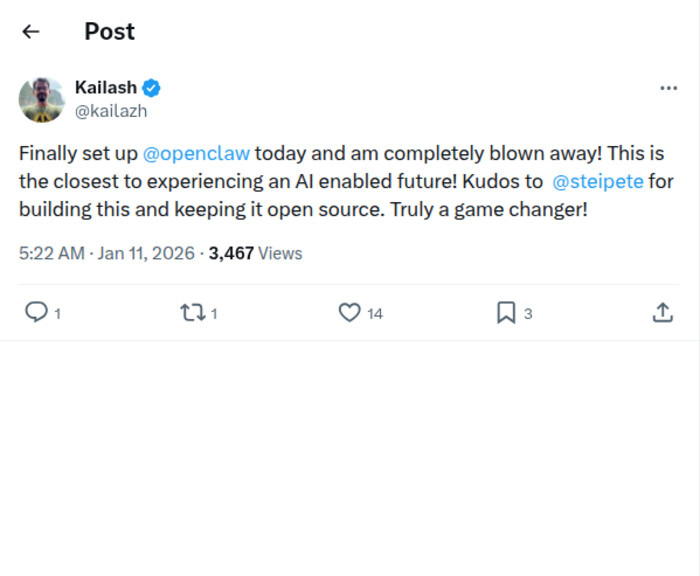
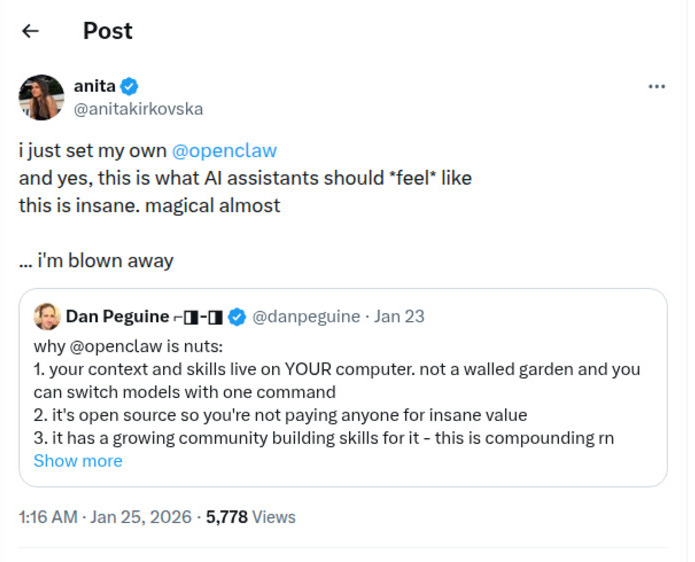
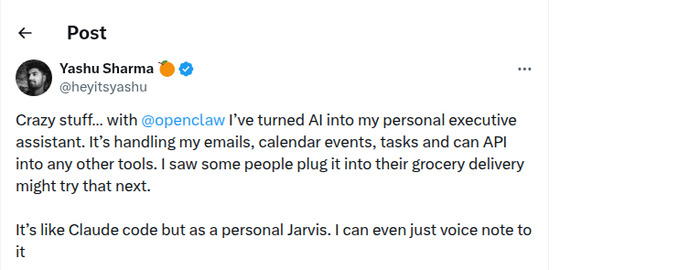
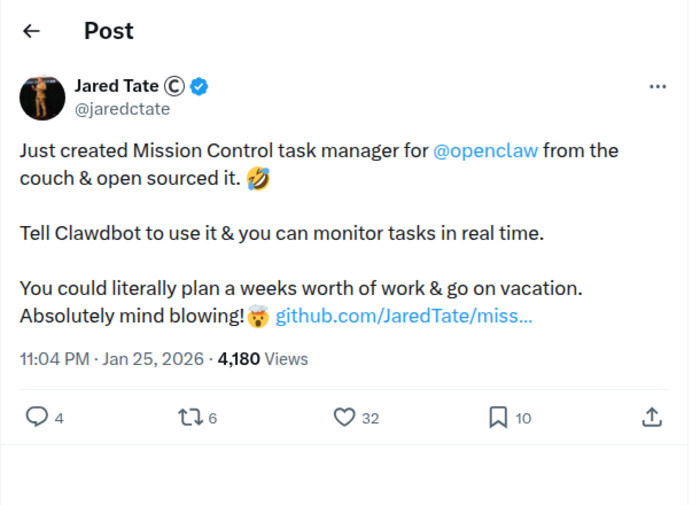
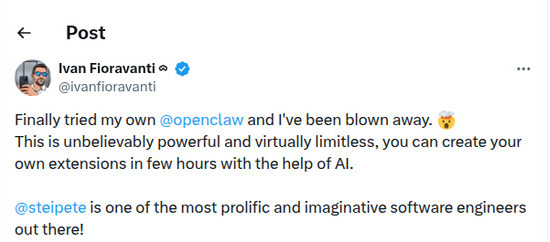
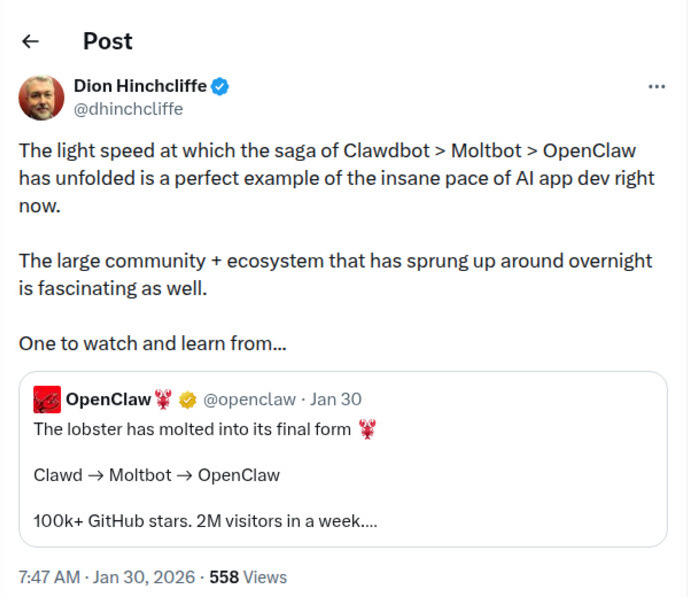
Real people. Real reactions.
What the OpenClaw community is saying:
OpenClaw has been featured in
You've seen the headlines.
Here's why our clients sleep fine.
OpenClaw is powerful. Powerful things need to be set up right. Every installation includes complete security hardening, not as an add-on, but as the foundation.
Hardened from Day One
Every installation follows OpenClaw's official security hardening guide. The same checklist enterprise teams use. Not adapted, not abbreviated. The full thing.
Keys That Stay Hidden
Your API keys live in encrypted environment variables. Not in config files, not in chat logs, not anywhere a curious eye could find them. We scrub session history so credentials never leak.
Nothing Left Behind
Session logs get scrubbed for sensitive data. API keys, tokens, passwords, anything that shouldn't persist gets redacted automatically. Clean logs, clean conscience.
Invisible to the Internet
No public endpoints. No open ports. Your assistant communicates through private channels only. Device pairing and explicit allowlists. If you're not on the list, you don't get in.
No Rogue Plugins
Every third-party skill gets reviewed before it touches your system. No unvetted code, no mystery packages. If I wouldn't run it on my own machine, it doesn't go on yours.
Audit Before Handoff
Before I hand you the keys, I run a complete security audit. You get a clear picture of what's running, what has access to what, and how to keep it that way.
You Own Everything
I set it up, walk you through it, then remove my access. Your credentials get rotated at handoff. After setup day, the only person with access to your system is you.
Your Hardware, Your Rules
Your AI runs on your machine. Your emails, conversations, and files never touch my servers or anyone else's. This isn't cloud AI with a privacy policy. It's your data, on your hardware. Full stop.
The security problems you've read about? They happen when people skip these steps.
Professional setup isn't a luxury. It's what separates "my AI assistant is incredible" from "my API keys are on the internet."

Hi, I'm Carl.
AI/ML from Columbia, product manager building enterprise systems by day, and I've been deep in the AI agent world since before any of this went viral. I set up every client personally. No outsourced teams, no contractors, no "tier 1 support." When you book a call, you're talking to the person who's going to build your system. That's how I like it.
Connect on LinkedIn →Resources
No fluff. Just honest guides about what actually works, what doesn't, and how to think about AI assistants.
The 4 Ways to Run Your AI Assistant
Your laptop, a Mac Mini, a cloud server, or Cloudflare Workers. Each has real tradeoffs, and we'll help you pick the one that fits your life, not just your budget.
Read Article →What the Security Headlines Get Wrong
Yes, the risks are real. No, they're not inevitable. An honest breakdown of what went wrong for other people and why it won't happen to you.
Read Article →OpenClaw vs ChatGPT: What's the Actual Difference?
One is a website you visit. The other books your dinner reservation, clears your inbox, and texts you when your flight changes. Here's why that distinction matters.
Read Article →What Happens After Setup Day
6,000 emails cleared before lunch. Restaurant booked by voice. Morning briefings that actually save time. Real stories from real clients about what their AI actually does all day.
Read Article →Frequently asked questions
What exactly is this? How is it different from ChatGPT?
ChatGPT is a website you visit. This is an AI assistant that lives in your phone (via WhatsApp, Telegram, etc.) and can actually take actions. It sends emails, books appointments, manages your calendar, makes phone calls, and analyzes your spreadsheets. It's the difference between asking a search engine and having an employee.
Can it really make and receive phone calls?
Yes. With Twilio integration, your AI can answer calls on a dedicated number (or forward from yours), have natural voice conversations, take messages, and make outbound calls to book reservations or appointments. It sounds remarkably human.
Why can't I just set this up myself?
You absolutely can. OpenClaw is open source. But most people spend 10 to 20 hours figuring it out, troubleshooting errors, and missing security best practices. I do this every day. I'll have you running in 2 to 3 hours with everything configured properly, secured correctly, and customized to how you actually work.
Is my data safe? Who can see my emails?
Only you. OpenClaw runs on your own hardware (your computer, a Mac Mini, or a VPS you control). Your data never goes to my servers or anyone else's. Every setup follows the official OpenClaw hardening guide: API keys isolated in environment variables, session logs scrubbed for credentials, network access locked down with device pairing and allowlists, and all third-party plugins audited before installation. I help you set it up securely, walk you through the security audit, then I'm out of your system. This is fundamentally more private than any cloud AI service.
I've heard OpenClaw has security issues. Should I be worried?
Those articles are about people who installed it wrong. OpenClaw gives your AI real access to your digital life: email, calendar, files. That power is exactly why it's useful, and exactly why it needs to be set up carefully. The incidents you've read about (Forbes, ZDNet, Cisco) involved people who skipped hardening steps, left API keys in session logs, or exposed their control interface to the open internet. Every ClawSetup installation includes the full security hardening. Credential isolation, log scrubbing, network lockdown, plugin auditing, and a complete security audit before handoff. Think of it this way: a car is dangerous if you don't learn to drive. That doesn't make cars bad. It makes driving lessons important.
What hardware do I need?
A Mac or Windows PC that can stay on, or a cloud VPS (~$10-20/month). For the best always-on experience, I can set you up with a dedicated Mac Mini (+$699) that runs 24/7 without using your main computer. We'll figure out the best option for your situation on our call.
How much does the AI cost to run monthly?
You pay the AI providers directly (OpenAI, Anthropic, or Google) based on usage. Typical cost is $20-50/month for moderate use. Heavy users might spend $100+. I'll help you pick models that balance capability and cost.
What if I'm not in NYC?
Not a problem at all. I offer full remote setup via video call. Same quality, we just do it screen-share style. The Starter tier is designed for this. I've set up clients across the US and internationally.
Do you offer ongoing support?
Every package includes support (14-90 days depending on tier). After that, we offer three maintenance plans starting at $49/mo for essential upkeep, up to $149/mo for white-glove service with custom skill development and monthly strategy calls. But honestly, once it's set up right, it mostly just works.
Ready to get your AI assistant?
Book a free 20-minute discovery call. We'll figure out exactly what you need.
Book Free Discovery Call →